Managing time as a freelancer goes beyond staying busy. Instead, the real challenge is understanding where your hours actually go, which projects are profitable, and which tasks silently drain your week.
Smart time tracking and scheduling tools bring clarity. They turn your daily work into clear data you can trust. Moreover, when you combine them with modern AI and SaaS tools for project management, writing, and branding, you build a freelance system that works for you. Lire aussi : Workflow automation tools for freelancers connect and save hours Lire aussi : Best productivity tools for freelancers Lire aussi : AI tools for freelancers scale your business in 2026″>Best AI tools for freelancers scale your business in 2026
Tracking where your hours go only helps if your calendar stops overbooking them. We compared the best AI scheduling and calendar tools for exactly that problem.
Smart time tracking tools for high-performing us freelancers
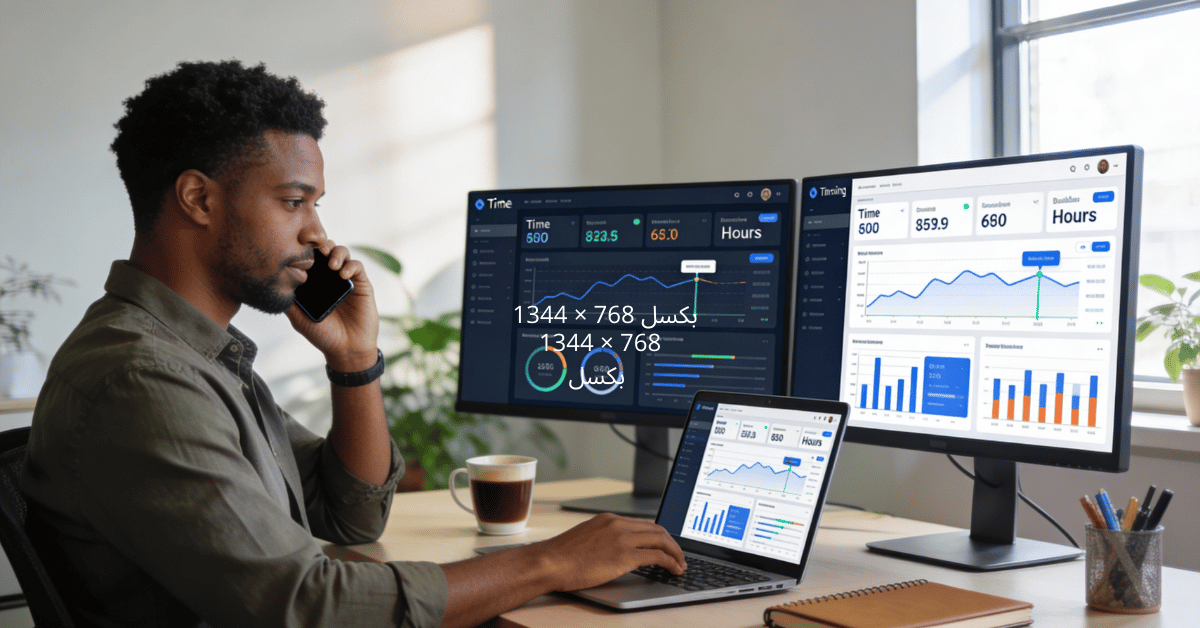
Time is the only resource you never get back as a freelancer. While you can always find new clients or increase your rates, wasted hours are gone forever.
Therefore, the freelancers who grow consistently are not the busiest ones. Rather, they are the ones who understand exactly where their time goes. They make decisions based on real data, not assumptions.
My name is Alman. At 40, after years of testing tools and building systems for freelancers, one thing is clear. However, tracking your time with the right tools is not about control. Instead, it is about freedom.
Consequently, it gives you the freedom to say no to low-value projects. You can price your services with confidence. You can design workweeks that do not end in burnout.
This guide focuses on using smart time tracking to understand your freelance business. Along the way, you will see clear examples, simple tables, and practical steps. You can apply these this week without changing your entire workflow.
Why time tracking matters more than you think
Many freelancers avoid time tracking because it feels restrictive. Often, it reminds them of corporate timesheets and micromanagement.
However, when you work for yourself, time tracking serves a very different purpose. You are not tracking time for a boss. Instead, you are tracking time to protect your income and energy.
There are three main reasons why consistent tracking matters:
First, you discover your real hourly rate. Second, you see which projects are profitable and which quietly drain your week. Third, you understand how much time non-billable work actually takes.
For example, imagine two projects priced the same way:
-
Project A pays $1,500 and takes 10 hours. That equals $150 per hour.
-
Project B also pays $1,500 but takes 25 hours. That equals $60 per hour.
Without tracking, both projects feel equal. However, once you track time, the difference becomes obvious. As a result, you know where your profit truly comes from.
Weekly time reality
Here is a simple weekly snapshot that many freelancers recognize:
| Activity | Hours spent | Billable? | Value at $80/h |
|---|---|---|---|
| Client project work | 18 | Yes | $1,440 |
| Writing proposals | 5 | No | $0 |
| Admin (emails, invoicing) | 4 | No | $0 |
| Marketing + content creation | 3 | No | $0 |
| Total | 30 | — | $1,440 |
At first glance, you feel busy all week. Yet only 18 hours actually generate revenue. Therefore, that gap explains why many freelancers work full weeks without seeing consistent income growth.
Key features of smart time tracking tools
Not all time tracking tools deliver the same value. Some act like simple stopwatches. Others, however, help you make better business decisions.
For this reason, smart tools usually include automatic tracking, project tagging, and clear reports. In addition, strong tools connect time with rates. Consequently, you can see real profitability, not just hours logged.
Here are common features worth prioritizing:
-
Automatic tracking that runs quietly in the background
-
Project and task tagging by client or service
-
Visual reports that show time distribution
-
Rate pairing to calculate real revenue
-
Integrations with calendars, invoicing, or project tools
Tools like Toggl Track, Harvest, RescueTime, Clockify, and Timely are widely used in the US freelance market. Each tool has a different focus. Therefore, the best choice depends on how you work.
-
Toggl Track works well for freelancers who like simplicity and strong reporting
-
Harvest combines time tracking with invoicing
-
RescueTime focuses on app usage and focus habits
-
Clockify offers flexibility and a generous free plan
-
Timely provides automatic timelines of your workday
You only need one. Moreover, the real benefit comes from consistency, not variety.
How time data changes your pricing
Let’s look at a realistic scenario.
You offer a website strategy and copy package for $2,000. You believe it takes about 15 hours. The project feels intense, but manageable.
However, after tracking one full project, your time breakdown looks like this:
| Task | Hours |
|---|---|
| Discovery call + emails | 2 |
| Research (industry, competitors) | 4 |
| Strategy workshop and outline | 3 |
| Writing main pages | 6 |
| Revisions and client feedback handling | 4 |
| Admin (invoicing, file organization) | 1 |
| Total | 20 |
Your real hourly rate is $100.
More importantly, you notice that revisions take a large chunk of time. There is no clear revision limit in your proposal.
Therefore, with this data, you can improve your offer:
-
You add a defined number of revision rounds
-
You charge extra for additional changes
-
You increase the package price to $2,400
After tightening the process, the same project now takes 18 hours. Consequently, your effective rate rises to about $133 per hour. Time tracking gives you the confidence to make these changes without second-guessing yourself.
Choosing the right time tracking setup
Different freelance models require different tracking approaches:
Project-based freelancers
Designers, developers, and copywriters often work with fixed deliverables. In this case, tracking time by project phase works best. You gain clarity without tracking every minute.
Retainer-based freelancers
Ongoing services benefit from monthly tracking. This helps prevent scope creep. Moreover, it supports calm pricing conversations when work exceeds agreed limits.
Multi-service freelancers
If you offer consulting, execution, and strategy, tracking by service type reveals which work delivers the highest return. In fact, many freelancers discover that advisory work pays better than hands-on execution.
Building a weekly time tracking ritual
The hardest part is not turning the timer on. Instead, it is keeping the habit alive.
Here is a simple weekly time ritual you can adopt:
Daily (5 minutes)
-
Start your main timer when you begin your first focused task
-
Switch projects or tasks when you change work
-
At the end of the day, glance at your report to make sure entries look correct
Weekly review (20–30 minutes)
Once a week, sit with your reports and ask:
-
How many hours did I work in total?
-
How many were truly billable?
-
Which projects took longer than expected?
-
Which tasks could be automated or delegated?
A simple weekly table can help you visualize your time:
| Category | Hours this week | Comment |
|---|---|---|
| Billable client work | 22 | Good, but heavy on one large project |
| Proposals & sales | 4 | Includes 2 lost deals |
| Marketing | 3 | Mostly LinkedIn and newsletter |
| Admin | 3 | Could automate invoicing next month |
You do not need a complex system. Instead, you need a clear picture.
Combining time tracking with your other tools
Time tracking becomes really powerful when you connect it to the other parts of your freelance stack.
Here are three strong combinations:
With project management tools
If you already organize tasks in tools like Notion, Trello, or ClickUp, add time tracking to them:
-
Attach a time entry to each task
-
Compare “estimated time” and “actual time”
-
Use this gap to improve future estimates
If you are using structured systems to manage your work, pairing them with time data turns your planning into a real forecasting engine.
With writing and content tools
When you use writing assistants to prepare proposals or content, track how long those tasks take now versus before.
For example:
| Task | Before tools | After tools |
|---|---|---|
| Drafting full proposal | 3 hours | 1.5 hours |
| Writing blog article | 4 hours | 2.5 hours |
| Revising long-form piece | 2 hours | 1 hour |
As a result, you will see which tools truly save time. You will also see where your human thinking is still the main factor. This helps you choose what to keep and what to drop.
With branding and marketing tools
If you use tools to plan and automate your online presence, track time spent on content creation and scheduling:
-
How long does it take to prepare one month of content?
-
How long does writing a newsletter take versus posting short updates?
-
Which type of content brings leads per hour invested?
From there, you can decide if it makes sense to produce more carousels, more posts, or more long-form content.
Case study: a freelancer who changed their week
Let’s take a realistic story and keep it simple.
Alina is a freelance social media strategist in Austin. She works with four retainer clients and earns about $6,000 per month. She feels busy, sometimes overwhelmed, but stuck at that income level.
Therefore, she decides to track time for a full month using Clockify.
Her monthly report looks like this:
| Category | Hours |
|---|---|
| Client A (retainer) | 22 |
| Client B (retainer) | 18 |
| Client C (retainer) | 14 |
| Client D (retainer) | 12 |
| Proposals and discovery | 10 |
| Marketing her own brand | 6 |
| Admin & operations | 8 |
| Total | 90 |
She charges all clients roughly $1,500 each. However, when she looks at effective rates:
-
Client A: $1,500 / 22 ≈ $68/hour
-
Client D: $1,500 / 12 ≈ $125/hour
Same invoice, very different profitability.
What changed after she saw the data:
-
She introduced a clear scope for Client A and proposed a higher retainer that matched real effort
-
She set a rule for discovery calls: a structured 30-minute format instead of open-ended hour-long chats
-
She increased prices for new clients, using her average hours per client as a baseline
Consequently, three months later, she still worked roughly 90 hours per month. However, her monthly revenue climbed to $8,200. Time tracking did not make her work more. Instead, it made her work smarter.
Actionable steps to implement this week
If you want to make this real and not just “interesting,” here is a simple action plan:
Step 1: choose one tool and commit for 30 days
Pick Toggl Track, Harvest, Clockify, or Timely. Do not overthink it. Moreover, the important thing is usage, not perfection.
Step 2: create three simple categories
Start with:
-
Client work
-
Business development (proposals, calls, networking)
-
Admin and operations
You can refine later.
Step 3: track everything for two weeks
No judgment. No optimization. Just data. Therefore, turn the timer on when you work and off when you stop.
Step 4: at the end of two weeks, run one report
Look at:
-
Total hours
-
Billable vs non-billable
-
Hours by client or project
Use this to adjust your pricing, scope, or schedule.
Step 5: connect it to your broader tool stack
Once the habit feels natural, connect your tracking with your project management system. Connect it to your proposal workflow and your branding efforts. Consequently, this is where your freelance “machine” truly comes alive.
Final thoughts
Smart time tracking is not about counting minutes for the sake of it. Instead, it is about running your freelance business with the same clarity and discipline as a well-managed agency. You maintain your freedom.
When you treat your time data as a strategic asset, you stop guessing and start deciding.
If you are already optimizing your contracts, design, writing, and client workflows, adding smart time tracking tools is the next logical step. Moreover, they will support your main system for developing your freelance business with a complete stack of modern tools and help you get the full benefit from everything you already use.
Frequently Asked Questions
What are the best productivity tools for freelancers in 2026?
The top productivity tools for freelancers in 2026 includeNotion AI (all-in-one workspace), Toggl or Harvest (time tracking), Calendly (scheduling), Asana or Trello (project management), and RescueTime (productivity analytics). The best stack depends on your work style and client needs.
How can AI tools improve freelancer productivity?
AI tools boost productivity by automating routine tasks, generating first drafts, summarizing long documents, transcribing meetings, and providing smart scheduling suggestions. Freelancers using AI tools report being 30–40% more productive on average.
What is the best time tracking method for freelancers?
The most effective time tracking for freelancers combines a dedicated app (Toggl, Harvest, or Clockify) with a clear project-client structure. Track time in real time rather than reconstructing it at the end of the day. Regular time audits reveal where your hours actually go — often surprising.
How do I avoid burnout as a freelancer using productivity tools?
Use productivity tools to set clear work boundaries: block focus time in your calendar, automate low-value tasks, and use time tracking data to spot when you're overworked. AI scheduling tools can also help distribute workload more evenly across the week.