Cold email is the highest-ROI client acquisition channel most freelancers ignore. While Upwork bids get lost in a sea of competition and LinkedIn requires weeks of relationship-building, a well-crafted cold email can land a client conversation within 24 hours. In 2026, with AI-powered inboxes screening messages for intent, the rules have changed — but the opportunity is bigger than ever for freelancers who know the updated playbook. Cold email also works best alongside other channels — pair it with the tactics in our guide to LinkedIn growth hacking for freelancers for a complete outbound system.
This guide covers everything you need to launch a cold email campaign that generates 15–30% reply rates: strategy, templates, tools, and the 5-step automation system top-earning freelancers use to fill their pipelines without leaving their desks.
Cold email for freelancers is the practice of sending unsolicited, personalized emails to prospective clients to initiate a business conversation. Unlike spam, effective cold email is highly targeted — researching each recipient, referencing specific context about their business, and offering a precise value proposition. In 2026, the average B2B cold email achieves a 6–9% reply rate, while personalized campaigns targeting ideal client profiles consistently hit 20–40%. The critical differentiator is specificity: identifying a concrete problem the prospect has, proposing a specific solution you provide, and using 50–150 words to communicate it. AI-powered inboxes from Google Gemini and Apple Intelligence now filter by intent — making genuine personalization not just better but mandatory for inbox delivery.
Why cold email still works in 2026 (when done right)

Cold email’s death has been predicted every year since 2015. It keeps not dying. Here’s why it still works for freelancers:
- Direct access: Email reaches decision-makers directly — no algorithm between you and your prospect
- Scalable: A good template, sent to 50 targeted prospects, can generate 5–15 responses
- Measurable: Open rates, reply rates, and conversions give you real data to optimize
- Zero gatekeepers: No platform, no bids, no pay-to-play — just your message and their inbox
According to Mailshake’s 2026 research, well-executed cold email campaigns regularly hit 20–40% reply rates — 80x better than generic outreach — when personalization and structure are done right.
The 2026 cold email framework: 5 elements of high-converting emails
Element 1: the subject line (5–7 words)
Your subject line determines whether your email gets opened. In 2026, the best subject lines are specific and curious — not clickbait. Avoid: “Quick question” (overused), “Following up” (generic), “Partnership opportunity” (screams sales).
High-converting subject line formulas:
- [Their company] + [specific problem]: “Qivato’s blog could convert 2x more”
- Reference their work: “Re: your post on AI automation”
- Specific outcome: “3 ideas for [Company]’s onboarding flow”
- Peer reference: “How [similar company] reduced churn 30%”
Element 2: the opening line (personalization)
The first sentence must prove you’re not mass-emailing. Reference something specific: a recent company announcement, a blog post they wrote, a product launch, or a piece of content they shared. This is called “trigger event prospecting” and it can 5x your reply rates.
Example: “I saw that [Company] just launched [Product] — congrats on the release. Your blog post on [topic] is exactly the kind of content that drives the audience you’re building.”
Element 3: the value hook (1–2 sentences)
Connect your expertise directly to their problem. Don’t list your skills — identify their pain and connect it to a specific result you’ve achieved for similar clients: “I help [type of company] achieve [specific outcome] — for [Client X], I [specific result in numbers].”
Element 4: the soft CTA (low commitment ask)
Never ask for a 45-minute call in a cold email. Use a low-commitment CTA: “Would it be useful to send you a 3-minute Loom video showing exactly how I’d approach this?” or “Open to a 15-minute call this week to explore?” The lower the commitment of your ask, the higher your reply rate.
Element 5: the professional signature
Include: name, title, LinkedIn profile URL, portfolio link, and one social proof line (“Worked with [notable client] and [notable client]”). Keep it clean — no quotes, no 10-line signatures.
5 Cold email templates for freelancers (copy-paste ready)
Template 1: the “trigger event” email
Subject: [Company]'s [recent event] → idea for you

Hi [First Name],

Saw that [Company] just [specific trigger: raised funding / launched product / published post]. Congrats on [specific detail].

I'm a [your specialty] who helps [type of company] [specific outcome]. For [similar company], I [result with numbers].

Would a 3-minute Loom video walking through one idea for [Company] be useful?

Best,
[Name]
[LinkedIn] | [Portfolio]
Template 2: the “specific problem” email
Subject: Quick idea for [Company]'s [specific area]

Hi [First Name],

I was on [Company]'s website and noticed [specific observation — slow load time, weak CTA, missing case study, etc.].

I help [type of company] fix exactly this — [Client X] saw [result] after we [what you did].

Worth a 15-min call to see if there's a fit?

[Name]
Template 3: the “content reference” email
Subject: Re: your [blog post / LinkedIn post] on [topic]

Hi [First Name],

Your piece on [topic] is one of the best takes I've read on [specific point they made].

I'm a [specialty] who works with [type of company] on [related challenge]. Thought you might find it useful to know that [relevant insight / data point connecting to their content].

Open to connecting? Happy to share how we've approached this for similar companies.

[Name]
Template 4: the follow-up (day 5)
Subject: Re: [previous subject line]

Hi [First Name],

Bumping this up in case it got buried.

I know you're busy — so I'll make it easy: would it help if I sent a one-page brief outlining exactly how I'd approach [specific problem] for [Company]? No call needed.

[Name]
Template 5: the “break-up” email (day 14)
Subject: Closing the loop

Hi [First Name],

I'll stop reaching out after this — I know timing isn't always right.

If [specific pain point] becomes a priority in the next few months, I'd be glad to reconnect. Here's my portfolio in the meantime: [link].

Thanks for your time,
[Name]
The 5-Step cold email automation system for freelancers
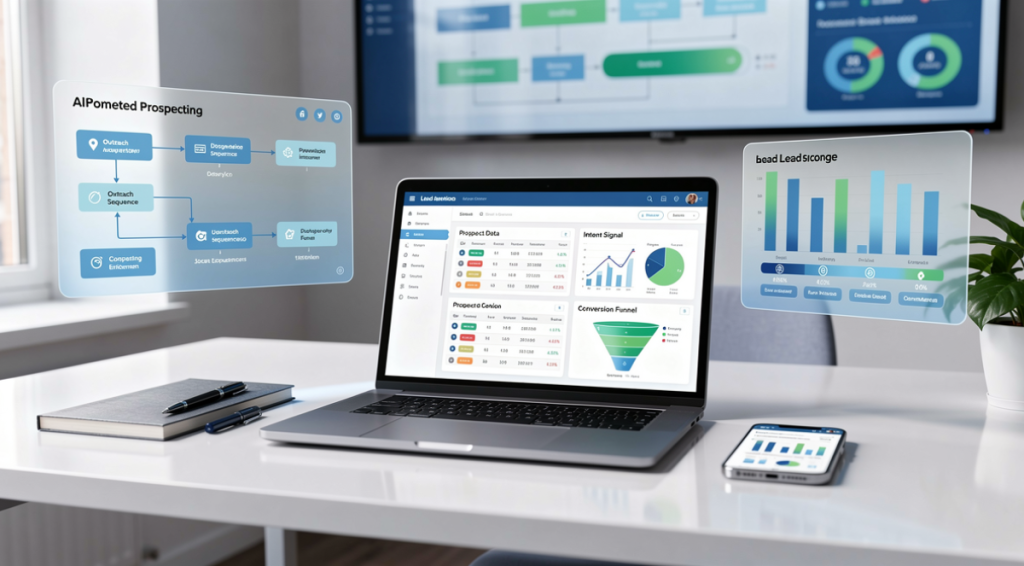
A cold email automation system for freelancers consists of five repeatable stages: prospect identification, email personalization, sequence deployment, reply management, and pipeline tracking. Using tools like Apollo.io or Hunter.io for prospect discovery, combined with a sequencing tool like Lemlist or Instantly, freelancers can run campaigns of 50–200 personalized emails per week in under 3 hours. The key metric to track is “reply rate per segment” — measuring which industry, company size, or role type responds best. Top-performing freelancers refine their ICP (Ideal Client Profile) monthly based on which segments generated the highest-value conversions, reducing wasted outreach by 60–80% within 90 days of systematic tracking.
Step 1: build a targeted prospect list
Use LinkedIn Sales Navigator, Apollo.io, or Hunter.io to build a list of 100–200 prospects who match your Ideal Client Profile (ICP). Define your ICP by: industry, company size (employees), role (who hires for your service), and trigger events (recent funding, hiring, product launch). For a full framework on turning this list into booked calls, see our guide to AI-powered lead generation tactics that actually work.
Step 2: personalize at scale with AI
Use AI tools to generate custom first lines for each prospect. Tools like Lavender AI or Clay auto-research prospects and write personalized openers using their LinkedIn activity, company news, and content. This cuts your personalization time from 10 minutes/email to under 60 seconds. To write the openers and templates themselves with AI, our guide to ChatGPT for freelancers gives you the exact prompt structure.
Step 3: set up a 5-Touch sequence
Use Lemlist, Instantly, or Woodpecker to automate your sequence: Email 1 (Day 1) → Email 2/Follow-up (Day 3) → Email 3/Value-add (Day 7) → Email 4/Alternative CTA (Day 12) → Email 5/Break-up (Day 21). Set each email to send only if no reply has been received.
Step 4: track replies in a simple CRM
Log every reply in a simple CRM — HubSpot Free, Notion, or even a Google Sheet works. Tag each reply as “Interested,” “Not now,” “Wrong contact,” or “No.” Follow up personally with “Interested” and “Not now” leads. “Not now” often converts to a client 60–90 days later with a simple check-in.
Step 5: iterate based on data
After 100 emails, analyze: open rate (should be 40%+), reply rate (target 15%+), positive reply rate (target 5%+). If open rate is low, fix the subject line. If reply rate is low, fix the personalization and value hook. Combine this with your freelance automation stack to keep the pipeline flowing while you focus on client work.
Cold email tools comparison for freelancers 2026
| Tool | Best For | Price/mo | Free Plan? |
|---|---|---|---|
| Lemlist | Sequences + personalized images | $59 | No |
| Instantly | High-volume sending | $37 | No |
| Hunter.io | Email finding | $34 | Yes (25/mo) |
| Apollo.io | Prospecting + sequences | $49 | Yes (50/mo) |
| Lavender AI | Email quality scoring | $29 | Yes (5/day) |
Common cold email mistakes freelancers make
- Talking about yourself too much: “I am a designer with 8 years of experience” → no one cares until they know you understand their problem
- Asking for too much too soon: “Let’s schedule a 60-minute discovery call” → replace with a 15-min call or a Loom video offer
- No follow-up: 80% of deals close after the 2nd–5th contact; most freelancers give up after 1 email
- Generic subject lines: “Quick question” or “Following up” guarantee the trash folder in 2026
- Sending from a new domain: Use a warmed-up domain (at least 30 days of sending history) to avoid spam folders
Frequently asked questions
Is cold email legal for freelancers?
Yes, with caveats. B2B cold email is legal in most countries when you’re contacting people in a professional context with a relevant offer, include an unsubscribe mechanism, and identify yourself clearly. In the EU (GDPR), you need a “legitimate interest” basis. In the US (CAN-SPAM), ensure you include your address and an opt-out option. Always consult local regulations for your jurisdiction.
How many cold emails should I send per day as a freelancer?
For email deliverability, limit new sending to 50–100 emails/day per email domain. Start with 20–30/day and ramp up over 2–4 weeks. Use Google Workspace or Microsoft 365 domains (not free Gmail) for better deliverability. Use a domain warm-up tool like Warmup Inbox if starting from scratch.
What reply rate should I expect from cold email?
Industry benchmarks for 2026: open rate 40–60% (with good subject lines), reply rate 6–15% (general), positive reply rate 2–7% (interested prospects). Top freelancers targeting narrow ICPs with strong personalization hit 20–35% reply rates. If you’re below 5% reply rate, the problem is almost always insufficient personalization or misaligned targeting.
Should I use AI to write cold emails?
AI can help draft and personalize emails faster, but full AI-generated cold emails are detectable and underperform. Use AI to generate the first line based on prospect research, create subject line variations for A/B testing, and improve the clarity of your value hook. The core message — your specific offer and social proof — should come from you. Check out our guide on AI growth tools for freelancers for the best AI writing assistants.
Sources & references
- 18 Cold Email Templates — Mailshake
- Cold Email Freelance: Secure More Jobs in 2026 — Bonsai
- How to Get Clients Through Cold Outreach — Double Your Freelancing
- Cold Email Templates for Freelancers — Ruul.io
Cold email works even better with a warm pipeline behind it — see our comparison of AI lead generation tools to keep your prospect list full.