Time is the one resource you cannot create more of. Yet professionals lose hours every week to back-and-forth emails trying to find meeting times. AI scheduling tools eliminate this friction entirely. They analyze your calendar, understand your preferences, and book appointments automatically. 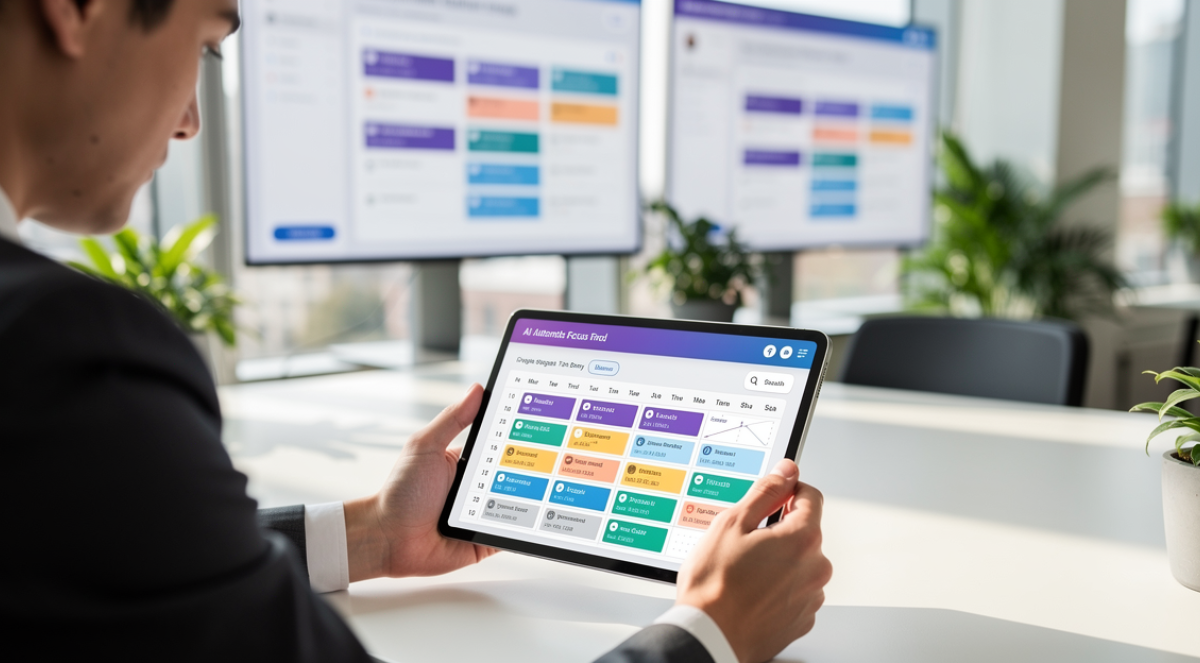
Some even predict which meetings you should decline based on your productivity patterns. This guide reviews the leading options for freelancers, consultants, and business owners. These tools also integrate with broader platforms covered in our guide to AI solutions for customer management and productivity .
The hidden cost of manual scheduling extends beyond the obvious time spent coordinating. Each interruption to check availability and propose times breaks focus. The mental load of tracking multiple scheduling conversations creates stress. Meetings often get scheduled at suboptimal times because finding any mutual availability feels like enough of a victory.
Understanding the two scheduling problems
Professionals face distinct but related time management challenges. The first is coordination with others. Finding mutually available meeting times through email exchanges wastes energy and delays decisions. The second is allocation of focused work time. Most people schedule meetings but leave important work to happen whenever time remains, which rarely works well.
Traditional calendar applications show what is scheduled but provide no intelligence about what should be scheduled or when. They are passive recording systems rather than active management tools. AI scheduling platforms address both coordination and allocation problems through automation and intelligent suggestions.
The best solutions handle external scheduling seamlessly while protecting time for deep work. They eliminate coordination friction without allowing your calendar to become completely controlled by others. This balance separates effective tools from those that solve one problem while creating another.
Calendly: the coordination standard
Calendly pioneered automated scheduling and remains the most widely adopted solution. You create event types for different meeting purposes like discovery calls, project kickoffs, or quick check-ins. Each event type specifies duration, availability windows, and buffer times between appointments. You share a link and others book time based on your actual availability.
The platform checks all connected calendars including Google, Outlook, and iCloud to prevent double-booking. It applies your rules about meeting frequency, time-of-day preferences, and buffer periods automatically. Confirmation emails and calendar invites go to both parties without manual sending. Reminder sequences reduce no-shows through automated messages.
Recent AI additions analyze your scheduling patterns to suggest optimizations. Calendly identifies when you frequently accept meetings you later cancel or reschedule. It notices which time slots lead to productive meetings versus those that feel rushed or poorly timed. The system recommends adjusting your availability settings based on these patterns.
Integration depth sets Calendly apart from newer competitors. The platform connects with CRM systems to log meeting details, payment processors to collect fees for paid consultations, video conferencing tools to generate meeting links automatically, and automation platforms to trigger workflows when meetings are booked. For professionals using multiple business applications, these integrations eliminate manual data transfer.
Pricing starts with a limited free tier allowing one event type. The Essentials plan at $10 monthly unlocks unlimited event types and calendar connections. The Professional tier at $15 monthly adds workflow automation and Salesforce integration. Teams plan at $16 per user monthly enables round-robin scheduling and advanced analytics.
SavvyCal: the personalized alternative
SavvyCal positions itself as Calendly with better user experience and more sophisticated personalization. The overlay feature shows your availability alongside the other person’s calendar, making it easier to find times that work well for both parties. This mutual visibility creates a more collaborative scheduling experience than traditional booking links.
Personalized links adjust available options based on who is scheduling. A new prospect sees different meeting lengths and availability windows than an existing client or colleague. This context-aware approach presents appropriate options without creating separate event types for every scenario. The AI learns which scheduling options different contact types typically choose and surfaces those prominently.
Multiple duration options within a single booking link let the other person choose meeting length. A discovery call link might offer 15-minute quick chats, 30-minute standard meetings, or 60-minute deep dives. This flexibility serves varying needs without requiring multiple links or back-and-forth to determine appropriate length.
The interface design throughout SavvyCal feels more polished than utilitarian competitors. Small details like animated transitions, clear typography, and thoughtful spacing create a premium experience. For professionals where brand perception matters, these aesthetic considerations influence which tool to use.
Pricing starts at $12 monthly for individuals with all core features included. The premium tier at $20 monthly adds priority support and removes SavvyCal branding. Unlike Calendly, SavvyCal does not gate features across multiple pricing tiers. You get full functionality at the base price.
Reclaim: intelligent time blocking
Reclaim takes a fundamentally different approach by automatically scheduling time for habits, tasks, and priorities around your meetings. You tell Reclaim you need four hours of focused work daily, an hour for email, 30 minutes for exercise, and time for lunch. The AI finds and protects these blocks, adjusting them as meetings get added or priorities change.
The platform treats your time blocks as flexible but important commitments. When someone schedules a meeting during protected focus time, Reclaim reschedules that focus block to another available slot. Your commitments stay fulfilled even as your calendar changes. This automation removes the constant manual rearrangement most people struggle with.
Smart habits in Reclaim create recurring time blocks that adapt to reality. A morning review habit scheduled for 8am to 8:30am will move earlier or later if meetings encroach on that window. The system learns your actual patterns and adjusts scheduling accordingly. Habits you consistently skip get deprioritized while those you complete reliably receive better time slots.
Task synchronization with project management tools like Asana, Todoist, and ClickUp brings work commitments into your calendar automatically. Reclaim schedules time to complete tasks based on due dates, estimated durations, and your available capacity. This integration ensures important work gets scheduled rather than hoping you will find time eventually.
The free tier provides personal scheduling features with some limitations. The Starter plan at $8 monthly unlocks full personal features. Teams plans at $12 per user monthly add collaborative scheduling and shared habits. For professionals who struggle to protect focused work time amid meeting demands, Reclaim delivers transformational value.
Motion: the all-in-one productivity system
Motion combines calendar management, task scheduling, and project management in a single AI-driven platform. You input tasks with deadlines and duration estimates. Motion builds your daily schedule automatically, accounting for meetings, energy levels, and priorities. When things change, the entire schedule recalculates without manual replanning.
The AI learns your work patterns over time. It notices you complete creative work more effectively in mornings and schedules design tasks accordingly. When you consistently postpone certain task types, Motion adjusts duration estimates and scheduling priorities. This personalization makes the system increasingly accurate and useful.
Project management features in Motion help teams coordinate without separate tools. You create projects, break them into tasks, assign responsibilities, and set deadlines. Motion automatically schedules time for each person to complete their tasks while accounting for dependencies. The system alerts you when deadlines become unrealistic based on available capacity.
Meeting scheduling in Motion works similarly to Calendly but integrates tightly with the task management system. When someone books a meeting, Motion reorganizes your task schedule automatically. You see immediately how the new meeting impacts other commitments and deadlines. This integrated view prevents overcommitment.
Motion charges $19 monthly for individuals and $12 per user monthly for teams without a free tier. The pricing reflects its positioning as a complete productivity system rather than a single-purpose tool. For professionals wanting calendar intelligence and task management in one platform, Motion eliminates the need for separate applications.
Clockwise: team calendar optimization
Clockwise focuses specifically on protecting focus time and optimizing calendars across teams. The AI analyzes meeting patterns throughout your organization and suggests better arrangements. It moves flexible meetings to create longer uninterrupted blocks for everyone. For freelancers collaborating with client teams, Clockwise helps maintain productive schedules even when working across multiple organizations.
The platform identifies which meetings are flexible versus fixed. Recurring team syncs can usually move an hour earlier or later without problems. Client presentations happen at scheduled times regardless. Clockwise focuses optimization efforts on flexible meetings while respecting fixed commitments.
Focus time protection in Clockwise blocks your calendar for deep work automatically. The system defends these blocks from meeting requests and suggests alternative times. When conflicts are unavoidable, Clockwise negotiates with other calendars to find solutions that minimize disruption across the team.
Team analytics provide visibility into collective time usage. Managers see how much time the team spends in meetings versus focused work. Individuals compare their patterns to team averages. These insights inform conversations about meeting culture and productivity practices.
Pricing starts with a free tier for individuals. Teams plans at $6.75 per user monthly unlock collaborative features and advanced analytics. For organizations concerned about meeting overload, Clockwise delivers measurable improvements in focus time availability.
Choosing your scheduling solution
Calendly or SavvyCal solve external coordination well if that is your primary frustration. Both eliminate email ping-pong for finding meeting times. SavvyCal provides better personalization while Calendly offers deeper integrations.
Reclaim or Motion address internal time management for professionals struggling to protect focused work. Reclaim specializes in time blocking while Motion combines scheduling with task management. Both require commitment to trusting AI with your calendar.
Start with one tool addressing your biggest pain point rather than adopting multiple scheduling platforms simultaneously. Most professionals eventually combine external scheduling tools with internal time blocking systems as needs evolve.
For insights on how scheduling automation connects with broader client management workflows, explore our guide on automating client onboarding with AI platforms.