Budget matters, especially when you are testing new tools or running a lean operation. Many AI platforms offer free tiers that provide genuine value, while others lock essential features behind expensive subscriptions. Understanding what you actually get at each price point prevents wasted money and frustration. This pricing breakdown covers CRM tools, automation platforms, and scheduling assistants side by side. We analyze where free plans fall short and when upgrading makes financial sense. For feature-by-feature details on each platform, refer to our complete comparison of AI tools for customer management and freelance productivity. 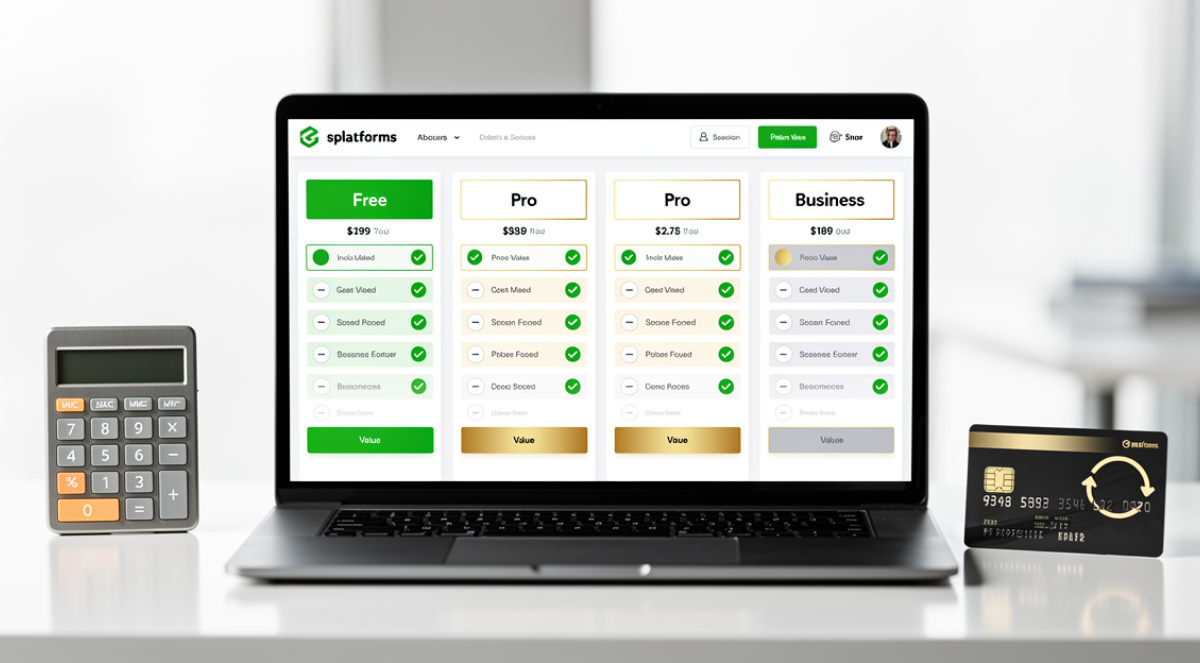
Pricing structures for AIplatforms have become increasingly complex. Surface-level advertised prices rarely tell the complete story. Some platforms charge separately for AI features even on paid plans. Others limit integrations or storage unless you upgrade multiple tiers. Understanding total cost of ownership requires looking beyond monthly subscription fees.
For a concrete, category-by-category breakdown, read our guide on how much AI tools really cost in 2026.
Decoding free tier strategies
Free tiers exist for two distinct reasons. Some companies offer limited free versions designed primarily as extended trials. These free plans provide just enough functionality to evaluate whether the platform fits your needs but intentionally withhold features necessary for real productivity. The goal is moving users to paid plans quickly.
Other companies provide genuinely useful free tiers as part of their business model. They monetize through premium features, higher usage limits, or team seats while allowing individuals and small operations to use core functionality indefinitely. These platforms attract users at scale and convert a percentage to paid plans over time.
Distinguishing between trial-like free plans and legitimate free tiers saves frustration. Check whether the free plan includes unlimited time, reasonable usage limits, and core features necessary for your use case. If the free tier expires after 30 days or limits you to five contacts, treat it as a trial regardless of marketing language.
User limits represent another critical factor. Some free plans allow unlimited users, making them viable for small teams. Others restrict to one or three users, forcing upgrades as soon as you hire help or add collaborators. Consider your growth trajectory when evaluating whether a free plan will work long-term.
CRM platform pricing breakdown
HubSpot CRM offers the most generous free tier in the category. Unlimited users, contacts, and deal tracking with basic automation and email integration cost nothing. The free version works genuinely well for freelancers and small businesses managing a few hundred customers. Paid tiers start at $15 monthly per user for Starter plans adding advanced automation. Professional plans at $100 monthly per user include most AI features like predictive lead scoring and conversation intelligence.
Pipedrive has no meaningful free option. The Essential plan at $14 monthly per user provides basic CRM without AI capabilities. The Advanced plan at $34 monthly per user unlocks AI assistant features and sales forecasting. Most businesses need at least this tier to benefit from intelligent automation. The pricing remains reasonable compared to enterprise alternatives but represents real cost from day one.
Freshsales offers a free tier supporting up to three users with basic contact management. The Growth plan at $15 monthly per user adds AI lead scoring and workflow automation. The Pro plan at $39 monthly per user includes conversation intelligence and advanced analytics. The free tier works for very small operations but teams quickly need paid features.
Zoho CRM provides free access for up to three users with surprisingly robust features. Paid plans start at $14 monthly per user for the Standard edition. The Professional plan at $23 monthly per user includes Zia AI assistant with predictions and suggestions. For small businesses wanting AI capabilities at budget prices, Zoho delivers exceptional value despite steeper learning curves.
Salesforce has no free tier worth mentioning. Essentials edition starts at $25 monthly per user but lacks any AI features. Professional edition at $80 monthly per user includes basic functionality. Enterprise edition at $165 monthly per user unlocks Einstein AI capabilities. Unlimited edition at $330 monthly per user provides full access. Total cost often doubles when adding necessary integrations and implementation services.
Automation platform pricing
Zapier offers 100 tasks monthly across five single-step Zaps on its free tier. This works only for very light automation needs. The Starter plan at $20 monthly provides 750 tasks and multi-step workflows, sufficient for most freelancers. Professional plans at $49 monthly include 2,000 tasks and premium app integrations. Zapier represents platforms where the free tier serves primarily as a demo.
Make provides 1,000 operations monthly on its free plan with unlimited active scenarios. This genuinely supports light to moderate automation use. The Core plan at $9 monthly includes 10,000 operations. The Pro plan at $16 monthly adds 10,000 more operations and priority support. Make offers substantially better value than Zapier as automation needs scale.
Notion gives free access to individuals with unlimited pages and blocks. The AI features require a $10 monthly add-on but the base platform remains free. Small teams get free access up to a certain size. This pricing lets you build your entire workspace before spending money, testing fit thoroughly.
IFTTT remains free for basic applet creation with some limitations. The Pro plan at $2.50 monthly unlocks unlimited applets and faster execution. Pro Plus at $5 monthly adds multi-step workflows. IFTTT serves simpler automation needs than Zapier or Make but costs significantly less for what it does.
Scheduling tool pricing
Calendly provides a limited free tier allowing one event type and basic features. The Essentials plan at $10 monthly unlocks unlimited event types and integrations. The Professional tier at $15 monthly adds workflows and Salesforce integration. Teams plan at $16 per user monthly enables round-robin scheduling. Most professionals need at least Essentials to handle different meeting types.
SavvyCal starts at $12 monthly for individuals with all features included. The Premium tier at $20 monthly adds priority support and removes branding. Unlike Calendly, SavvyCal does not gate features across tiers. You get full functionality at base price, making it better value for professionals wanting advanced features.
Reclaim offers genuine free tier value for personal scheduling with some limitations. The Starter plan at $8 monthly unlocks full personal features. Teams plans at $12 per user monthly add collaborative capabilities. The free tier works well for individuals getting started with intelligent time blocking.
Motion charges $19 monthly for individuals without a free option. Teams pay $12 per user monthly. The pricing reflects Motion’s positioning as an all-in-one productivity system combining scheduling, tasks, and projects. No free tier means you must commit before testing thoroughly.
Clockwise provides free individual access with core focus time features. Teams plans at $6.75 per user monthly unlock collaborative optimization and analytics. The free tier delivers real value for solo professionals while team features require payment.
All-in-one client management platforms
HoneyBook starts at $16 monthly for the Starter plan including proposals, contracts, and scheduling. The Essentials plan at $33 monthly adds automation and client portals. The Premium plan at $66 monthly includes advanced reporting and priority support. No free tier exists but the entry price remains reasonable for the bundled functionality.
Dubsado offers a free tier supporting up to three active clients. The Starter plan at $20 monthly allows unlimited clients with full features. The Premier plan at $40 monthly adds team member seats and advanced customization. The free tier genuinely works for freelancers getting started, making Dubsado accessible for budget-conscious professionals.
Hidden costs to consider
Storage limits affect platforms managing files and documents. Free tiers often include minimal storage that fills quickly with client documents and project files. Upgrading for storage alone can cost $10 to $20 monthly depending on the platform.
Integration restrictions limit which applications connect to your platform. Premium integrations often require higher-tier subscriptions even when the base features you need exist at lower levels. Budget for the tier that includes your essential integrations rather than the lowest tier with features you want.
User seat costs multiply quickly as teams grow. A platform charging $15 per user monthly costs $180 monthly for a team of twelve. Some platforms offer volume discounts while others maintain per-seat pricing regardless of team size. Calculate total cost at your expected team size rather than individual pricing.
Overage charges apply when you exceed monthly limits for tasks, operations, storage, or other consumption-based metrics. Some platforms charge reasonably for overages while others impose steep penalties. Understand overage pricing before committing to avoid surprise bills.
Strategic approach to platform budgets
Start with free tiers when available to test fit before spending. Most tools reveal whether they match your workflow within two weeks. Do not skip this validation step even when budgets allow immediate payment.
Prioritize spending on tools that eliminate your biggest time drains. A $50 monthly platform that saves ten hours weekly provides extraordinary ROI. A $10 monthly tool that saves 30 minutes weekly may not justify even modest cost.
Use monthly billing initially despite annual discounts. Lock yourself into annual commitments only after confirming tools deliver promised value. The savings from annual billing disappear quickly if you abandon the tool after three months.
Bundle platforms when possible to reduce total cost. Using HubSpot for both CRM and marketing costs less than buying separate specialized tools. However, avoid bundling just for savings if the combined platform does not fit your needs well.
For context on which features justify premium pricing across different platform categories, see our guide to the best AI CRM tools for small businesses.
Related: Best AI tools for freelancers — our complete guide for freelancers.
Frequently Asked Questions
What is business automation for freelancers?
Business automation for freelancers means using software to handle repetitive tasks automatically — sending invoices, following up with clients, scheduling social posts, onboarding new clients, and managing contracts. Tools like Zapier, Make.com, and HoneyBook connect your apps and trigger actions without manual input.
How much time can automation save a freelancer?
Studies show freelancers can save 10–20 hours per week by automating routine tasks. Common time-savers include automated invoicing (saves ~2h/week), client onboarding sequences (saves ~3h/client), and social media scheduling (saves ~4h/week).
Is automation difficult to set up for non-technical freelancers?
No. Modern no-code automation platforms like Zapier and Make.com use drag-and-drop interfaces with thousands of pre-built templates. Most freelancers can set up their first automation in under 30 minutes with no coding required.
What should I automate first in my freelance business?
Start with your highest-volume repetitive tasks: invoice generation and follow-ups, client onboarding emails, appointment scheduling, and social media posting. These four areas typically deliver the fastest ROI and biggest time savings.