Client onboarding sets the tone for every working relationship. A smooth process builds trust and reduces churn, while a messy one creates frustration from day one. AI platforms now automate most onboarding steps, from collecting documents to scheduling kickoff calls and sending personalized welcome sequences. 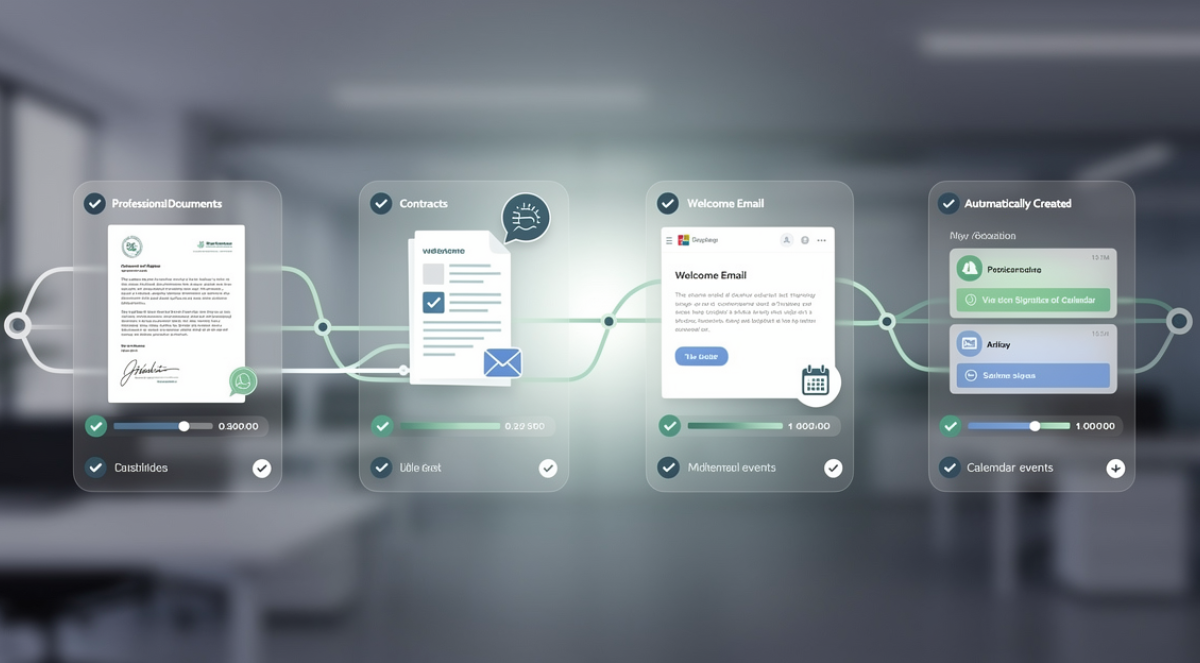
This allows service providers to handle more clients without hiring additional staff. The strategies in this guide work for agencies, consultants, and solo professionals alike. For context on which platforms offer the best onboarding automation, explore our detailed comparison of AI solutions for customer management.
The first week of a client relationship determines whether the engagement will succeed or struggle. Clients who feel confused, ignored, or overwhelmed during onboarding often remain dissatisfied throughout the project. Those who experience organized, responsive onboarding develop confidence that carries forward.
Why manual onboarding fails at scale
Most freelancers and small agencies start with manual onboarding processes. You send welcome emails personally, track document collection in spreadsheets, and schedule kickoff meetings through back-and-forth messages. This works fine for your first few clients but breaks down quickly as you grow.
Manual processes depend entirely on memory and discipline. Forgetting to request a single document can delay project starts by days. Missing a follow-up email leaves clients wondering about status. These small failures accumulate into larger perception problems about your professionalism and organization.
Inconsistency compounds the issue. Different clients receive different experiences based on how busy you are when they sign. Some get prompt attention while others fall through cracks. This variation damages your reputation and makes it harder to refine your process over time.
AI automation solves these problems by running the same high-quality process for every client regardless of your workload. The system never forgets steps, always follows up on time, and maintains consistency across hundreds of clients. This reliability frees you to focus on delivery rather than coordination.
Designing your automated onboarding workflow
Start by mapping your current onboarding process from contract signature to project kickoff. List every step, document, email, and decision point. Most onboarding workflows include welcome messages, contract and payment processing, document collection, questionnaire completion, scheduling kickoff meetings, and granting access to tools and shared folders.
Identify which steps can be fully automated versus those requiring human judgment. Welcome emails, document requests, payment processing, and access provisioning all automate easily. Reviewing questionnaire responses or discussing project scope in kickoff meetings still need your attention. The goal is automating everything possible so you spend time only where human expertise adds value.
Choose trigger events that initiate automation sequences. Contract signature is the most common trigger because it represents clear commitment from both parties. Some businesses trigger onboarding when payment clears rather than at signature. Others begin portions of onboarding immediately after discovery calls for prospects showing strong interest.
Map the timing and sequence of automated actions. A typical sequence might look like this: contract signed, immediate welcome email sent, payment link delivered, questionnaire shared, reminder sent after two days if questionnaire incomplete, kickoff meeting scheduled after questionnaire completion, access credentials sent one day before kickoff, project folder created and populated with templates.
Essential automation components
Contract and proposal automation eliminates the first major bottleneck. Platforms like PandaDoc, Proposify, and HelloSign generate customized contracts from templates using client information you have already collected. The AI suggests pricing based on project scope by comparing to similar past projects. Clients sign electronically without printing or scanning. The signed contract triggers the next automation steps immediately.
Payment collection integrates directly with most contract platforms. Once signed, clients see payment options for deposits or full amounts. Automated invoicing handles milestone payments and final balances according to your configured schedule. The AI monitors payment patterns and sends reminders at optimal times to reduce late payments without annoying clients.
Document collection presents challenges because clients often delay providing necessary materials. Automated systems request documents immediately after contract signature. If materials do not arrive within your specified timeframe, follow-up reminders go out automatically. The AI escalates reminder urgency gradually without becoming aggressive.
Questionnaires and intake forms gather project details, preferences, and requirements. Tools like Typeform, Jotform, and Google Forms integrate with automation platforms to trigger actions based on responses. If a client indicates they need rush delivery, the automation can assign premium project templates or notify you immediately rather than following the standard sequence.
Scheduling automation removes the endless email exchanges to find meeting times. Calendly, SavvyCal, and similar tools share your real availability. Clients book kickoff meetings that fit both schedules. Confirmation emails and calendar invites go out automatically with video conferencing links and meeting agendas. Reminder sequences reduce no-shows without manual effort.
Access provisioning automates the technical setup clients need. When onboarding completes, the system creates project folders in Google Drive or Dropbox, generates login credentials for your project management tool, adds clients to communication channels in Slack or Microsoft Teams, and sends an email with all access information organized clearly.
Personalizing automated sequences
Automation should not feel robotic or generic. AI helps personalize communications based on client attributes and behaviors. Use merge fields to include client names, company names, project types, and other specific details in every message. This basic personalization makes automated emails feel individually written.
Conditional logic creates different paths based on client responses or characteristics. Corporate clients might receive different onboarding materials than individual clients. Rush projects follow accelerated sequences while standard projects use longer timeframes. The automation adapts to context rather than forcing everyone through identical steps.
Behavioral triggers respond to client actions. If a client immediately completes the questionnaire, the system accelerates the next steps. If they delay, it extends timeframes and adds gentle reminders. This responsiveness makes automation feel attentive rather than mechanical.
Content personalization uses AI to adjust language and examples based on client industry or project type. A welcome email to a healthcare client mentions relevant experience and compliance considerations. One to a retail client highlights different case studies and expertise. This industry-specific personalization builds confidence without requiring you to write dozens of template variations.
Monitoring and optimizing your automation
Automated systems require ongoing attention to maintain effectiveness. Track metrics like time from contract signature to project kickoff, questionnaire completion rates, document collection speed, and client satisfaction during onboarding. These measurements reveal where your automation succeeds and where it needs improvement.
Common failure points include clients not receiving emails due to spam filters, confusing instructions that lead to incomplete questionnaires, scheduling links that do not account for time zones correctly, and access credentials that expire before clients use them. Monitor for these issues and refine your automation to prevent them.
Client feedback provides direct insight into onboarding experience. Send a brief survey after kickoff meetings asking about clarity, ease of process, and any friction points. Use this qualitative data alongside quantitative metrics to guide improvements. Small adjustments often yield significant satisfaction increases.
A/B testing different approaches helps optimize performance. Try varying welcome email timing, questionnaire length, reminder frequency, or meeting invitation language. Compare completion rates and client feedback between variations. This experimental approach identifies what works best for your specific audience.
Platform recommendations for onboarding automation
All-in-one platforms like HoneyBook and Dubsado handle the complete client lifecycle from inquiry through final payment. They include proposals, contracts, invoicing, questionnaires, scheduling, and project management. For freelancers and small agencies wanting simplicity, these integrated solutions deliver strong value despite less flexibility than connecting specialized tools.
Zapier or Make connecting specialized tools provides maximum flexibility. You choose best-in-class options for each function and connect them through automation. This approach requires more setup time but results in precisely the system you need. Most agencies and established freelancers eventually move to this model as they outgrow all-in-one platforms.
For a broader understanding of how onboarding automation fits within your overall client management strategy, see our complete guide to AI platforms for customer management and freelance productivity.