Running a business or freelance operation in 2025 means dealing with more clients, more communication channels, and more data than ever before. Email threads pile up. Leads slip through the cracks. Scheduling becomes a puzzle that wastes hours every week. Customer expectations keep rising while your time stays fixed at 24 hours a day. 
AI platforms designed for customer management and productivity have matured significantly over the past two years. They no longer just store contact information or send basic reminders. Modern tools predict which leads will convert, automate entire onboarding sequences, and manage your calendar based on your energy levels and priorities. The technology has shifted from novelty to necessity for anyone serious about scaling without burning out.
But the market has also become crowded and confusing. Dozens of platforms compete for attention, each claiming to be the ultimate solution. Pricing structures vary wildly. Some tools excel at CRM functions but lack automation depth. Others automate brilliantly but offer weak customer management features. Finding the right combination requires understanding what each category offers and how different platforms compare.
This guide breaks down the AI platform landscape for customer management and freelance productivity in 2025. We examine CRM tools built for small businesses, automation platforms designed for freelancers, head-to-head comparisons of major players, onboarding automation strategies, scheduling assistants, and pricing across free and paid tiers. Whether you run a solo consulting practice or manage a growing team, you will find actionable insights to make smarter technology decisions.
Section 1: Best AI CRM tools for small businesses in 2025
Customer relationship management sits at the core of every successful business. Without a system to track interactions, segment audiences, and follow up consistently, growth stalls. For small businesses, the challenge is finding a CRM that delivers enterprise-level intelligence without enterprise-level complexity or cost.
The best AI CRM tools for small businesses in 2025 share several characteristics. They offer intuitive interfaces that require minimal training. They automate data entry by pulling information from emails, forms, and social profiles. They provide predictive lead scoring so you focus energy on prospects most likely to buy. And they integrate with the other tools you already use.
HubSpot CRM remains a popular choice for small teams. Its free tier includes contact management, email tracking, and basic automation. The AI features analyze your pipeline and suggest which deals need attention. For businesses already using HubSpot for marketing, the seamless integration creates a unified view of every customer touchpoint.
Pipedrive takes a different approach by focusing almost exclusively on sales pipeline management. Its AI assistant identifies patterns in your successful deals and recommends actions to replicate that success. The visual pipeline makes it easy to see where every prospect stands. Small businesses with straightforward sales processes often find Pipedrive faster to implement than broader platforms.
Freshsales by Freshworks combines CRM with built-in phone and email capabilities. The AI scores leads based on engagement signals and demographic fit. It also detects duplicate contacts and merges them automatically, keeping your database clean without manual effort. Pricing stays reasonable even as you add users, making it attractive for growing teams.
Zoho CRM offers perhaps the deepest feature set at the lowest price point. Its AI assistant, Zia, predicts deal closure probability, suggests the best time to contact leads, and even analyzes sentiment in customer emails. The learning curve is steeper than competitors, but businesses willing to invest in setup gain powerful capabilities.
Choosing the right CRM depends on your sales process complexity, existing tool stack, and growth trajectory. A freelancer with twenty clients has different needs than a small agency managing hundreds of accounts. For a deeper exploration of options in this category, see our complete breakdown of the best AI CRM tools for small businesses.
AI automation tools for freelancers to save time and boost income
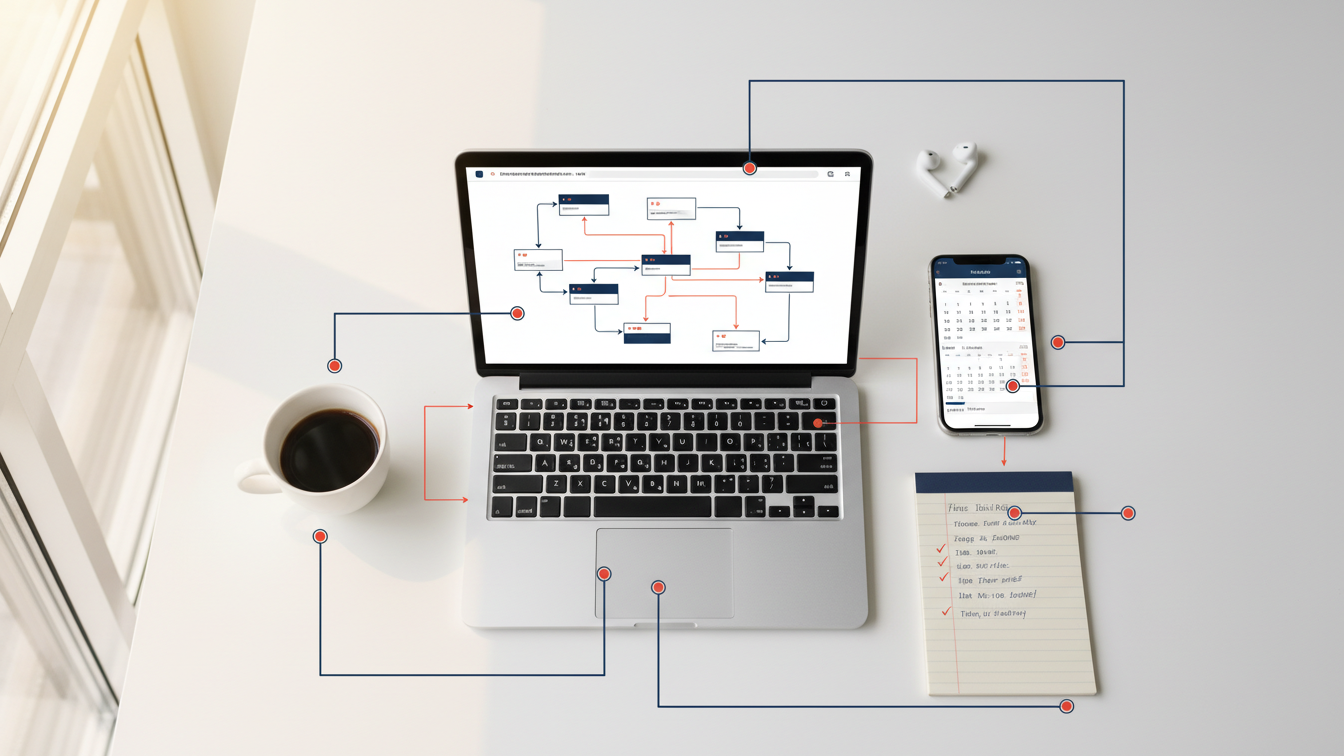
Freelancers face a unique productivity challenge. Every hour spent on administration is an hour not spent on client work. Unlike employees at larger companies, freelancers rarely have assistants or operations teams to handle invoicing, scheduling, contract management, and client communication. These tasks accumulate quietly until they consume a significant portion of each week.
AI automation tools address this problem by handling repetitive work in the background. The best platforms learn your patterns and preferences over time, becoming more useful the longer you use them. They connect different applications so information flows automatically between your calendar, email, project management system, and accounting software.
Zapier remains the most versatile automation platform for freelancers. It connects over 6,000 applications and requires no coding knowledge. You build workflows called Zaps that trigger actions based on events. When a client fills out your intake form, Zapier can automatically create a project in your task manager, send a welcome email, generate an invoice, and block time on your calendar for the kickoff call. The AI features suggest automations based on your connected apps and usage patterns.
Make, formerly known as Integromat, offers more complex workflow capabilities than Zapier at lower price points. Freelancers comfortable with slightly more technical setups gain access to branching logic, error handling, and data transformation. The visual workflow builder shows exactly how information moves between systems. For freelancers managing multiple client types with different processes, Make provides the flexibility to handle edge cases.
Notion AI has evolved beyond note-taking into a legitimate productivity assistant. It summarizes meeting notes, drafts client updates, and organizes information across projects. Freelancers using Notion as their central workspace benefit from AI that understands their specific context. The assistant can pull relevant details from past projects when you start similar work for new clients.
Motion takes a different approach by focusing specifically on time management. Its AI analyzes your tasks, deadlines, and calendar to automatically schedule work blocks. When meetings get added or priorities shift, Motion reorganizes your day without manual intervention. Freelancers who struggle with planning their workload find this automated scheduling transformative.
Honeybook and Dubsado serve freelancers who need all-in-one client management. These platforms combine proposals, contracts, invoicing, and scheduling in a single system. Their automation features handle the entire client lifecycle from inquiry to final payment. While less flexible than connecting specialized tools through Zapier, the simplicity appeals to freelancers who prefer one platform over many.
The key to successful automation is starting with your biggest time drains. Track how you spend a typical week, identify the repetitive tasks, and automate those first. Even saving three hours weekly adds up to over 150 hours annually. For detailed recommendations on building your automation stack, explore our guide to AI automation tools for freelancers.
HubSpot vs Salesforce AI features: which CRM wins in 2025

The CRM market has two dominant players that set the standard for everyone else. HubSpot and Salesforce together serve millions of businesses worldwide, and both have invested heavily in AI capabilities. Choosing between them is rarely straightforward because each platform excels in different areas and serves different types of organizations.
HubSpot built its reputation on accessibility. The platform prioritizes ease of use, fast implementation, and a gentle learning curve. Small and medium businesses often choose HubSpot because teams can start using it productively within days rather than months. The free CRM tier provides genuine value, allowing companies to test the platform before committing budget.
HubSpot’s AI features focus on practical applications that save time immediately. The content assistant generates email drafts, social posts, and blog outlines based on your prompts. Predictive lead scoring analyzes your contact database and identifies which prospects deserve priority attention. The conversation intelligence tool transcribes sales calls and highlights key moments, objections, and next steps. These features work well out of the box without extensive configuration.
Salesforce takes a fundamentally different approach. The platform offers almost unlimited customization, allowing enterprises to build exactly the system they need. This flexibility comes with complexity. Most Salesforce implementations require dedicated administrators or external consultants to configure properly. The investment pays off for organizations with complex sales processes, multiple business units, or specific compliance requirements.
Salesforce Einstein, the AI layer across the platform, provides deeper analytical capabilities than HubSpot. Einstein Discovery finds patterns in your data that humans would miss, surfacing insights about what drives successful deals. Einstein Prediction Builder lets you create custom AI models without writing code. Einstein Next Best Action recommends specific steps for sales reps based on each opportunity’s unique characteristics. For data-driven organizations, these features deliver significant competitive advantages.
Pricing differences between the platforms are substantial. HubSpot’s free tier and Starter plans work well for small teams. However, accessing advanced features requires Professional or Enterprise subscriptions that cost thousands monthly. Salesforce has no meaningful free option. Entry-level pricing starts higher, and costs escalate quickly as you add users and features. Both platforms can become expensive at scale, but Salesforce typically costs more for equivalent functionality.
Integration ecosystems favor Salesforce slightly. Its AppExchange marketplace offers thousands of add-ons covering nearly every business need. HubSpot’s App Marketplace has grown significantly but remains smaller. For businesses requiring specialized integrations with industry-specific software, Salesforce often has more options available.
The decision ultimately depends on your organization’s stage and priorities. HubSpot wins for teams wanting fast implementation, intuitive design, and solid AI features without heavy customization. Salesforce wins for enterprises needing deep customization, advanced analytics, and the ability to build complex automated processes across departments.
Many businesses start with HubSpot and migrate to Salesforce as they grow. Others find HubSpot scales perfectly well and never need to switch. Neither choice is universally correct. For a complete breakdown of features, pricing tiers, and use cases, read our detailed comparison of HubSpot vs Salesforce AI features.
How to automate client onboarding with AI platforms
First impressions matter enormously in client relationships. A smooth onboarding experience signals professionalism and builds confidence that the engagement will go well. A disorganized start creates doubt and friction that can persist throughout the entire project. Yet many freelancers and small businesses still handle onboarding manually, cobbling together emails, forms, and documents for each new client.
AI platforms now automate the entire onboarding sequence from initial inquiry to project kickoff. The technology handles document collection, contract signing, payment processing, scheduling, and welcome communications without manual intervention. What once required hours of administrative work happens automatically while you focus on delivering actual value.
The foundation of automated onboarding is a well-designed intake process. When a potential client expresses interest, they should receive an immediate response. AI-powered forms qualify leads by asking the right questions upfront. Based on their answers, the system routes them to appropriate next steps. A prospect requesting a service you offer proceeds to scheduling. One asking for something outside your scope receives a polite referral or decline.
Contract and proposal automation eliminates one of the biggest bottlenecks in onboarding. Platforms like PandaDoc, Proposify, and HoneyBook generate customized documents using templates and client information. AI assists by suggesting pricing based on project scope, highlighting terms that prospects typically negotiate, and predicting which proposals are likely to close. Electronic signatures complete the process without printing, scanning, or mailing.
Payment collection integrates directly with contracts on most modern platforms. Once a client signs, they immediately see payment options. Automated invoicing handles deposits, milestone payments, and final balances according to your configured rules. The AI monitors payment patterns and sends reminders at optimal times to minimize late payments without damaging relationships.
Scheduling the kickoff call or meeting happens automatically through calendar integration. Tools like Calendly, SavvyCal, and Acuity show clients your available times based on real-time calendar data. AI features in these platforms suggest optimal meeting lengths, buffer times between appointments, and even recommend rescheduling when conflicts arise. Confirmation emails and reminders go out without any manual sending.
Welcome sequences deliver important information to new clients at the right pace. Rather than overwhelming them with everything on day one, automated email sequences spread orientation content across several days. These emails might include how to access shared folders, communication preferences, what to expect in the first week, and answers to common questions. AI personalizes these sequences based on the client’s industry, project type, or other attributes.
Project setup automation creates the infrastructure for collaboration. When a contract is signed, your systems can automatically generate a project folder, create a Slack channel or communication thread, set up a project in your task management tool, and add relevant templates. Clients receive access credentials without you manually inviting them to each platform.
The most sophisticated onboarding automations adapt based on client behavior. If a client opens the welcome email but does not complete a required form, the system sends a gentle reminder. If they finish everything quickly, it accelerates the sequence. This responsive approach feels personal while remaining fully automated.
Building an automated onboarding system requires upfront investment. You need to map your current process, identify decision points, create templates, and configure the automation logic. Most freelancers and small businesses can build a functional system in a weekend using platforms like Zapier, Make, or all-in-one solutions like Dubsado. The time saved on every future client pays back that investment quickly.
For step-by-step implementation guidance and platform recommendations, see our complete guide on how to automate client onboarding with AI platforms.
Top AI scheduling and calendar tools for busy professionals
Time management separates thriving professionals from struggling ones. The difference often comes down to how effectively you protect your calendar and allocate hours to meaningful work. Traditional calendar applications show you what is scheduled but offer no intelligence about what should be scheduled. AI scheduling tools fill this gap by actively managing your time rather than passively displaying it.
The scheduling problem has two distinct components. First, coordinating meetings with others consumes surprising amounts of energy. The back-and-forth emails to find a mutually available time waste minutes that accumulate into hours over a typical month. Second, allocating time for focused work requires discipline that most people struggle to maintain consistently. AI tools now address both challenges.
Calendly pioneered the automated scheduling category and remains the most widely adopted solution. You share a link, and others book time based on your actual availability. The platform checks your connected calendars, applies your rules about meeting types and buffer times, and confirms appointments automatically. Recent AI additions analyze your scheduling patterns and suggest optimizations. Calendly identifies when you tend to accept meetings you later regret and recommends adjusting your availability windows.
SavvyCal positions itself as the more polished alternative to Calendly. Its overlay feature shows your availability alongside the other person’s calendar, making it easier to find times that work well for both parties. The interface feels less transactional than traditional scheduling links. AI features personalize the booking experience based on the relationship between you and the person scheduling. A new lead sees different options than an existing client or a colleague.
Reclaim has emerged as the leader in intelligent time blocking. The platform automatically schedules time for habits, tasks, and priorities around your meetings. Tell Reclaim you need four hours of focused work daily, and it finds and protects those blocks. When meetings get added, Reclaim reorganizes your flexible time without breaking your commitments. The AI learns which tasks you actually complete versus those you postpone, adjusting its scheduling accordingly.
Motion combines task management with calendar management in a single AI-driven system. You input your tasks with deadlines and estimated durations. Motion schedules everything automatically, accounting for your meetings, energy levels, and priorities. When something changes, the entire schedule recalculates. Freelancers and professionals who struggle with planning find Motion removes the cognitive burden of deciding what to work on and when.
Clockwise focuses specifically on protecting focus time and optimizing team calendars. The AI analyzes meeting patterns across your organization and suggests better arrangements. It moves flexible meetings to create longer uninterrupted blocks for everyone. For freelancers collaborating with client teams, Clockwise helps maintain productive schedules even when working across multiple organizations.
Clara and similar AI assistant services take scheduling further by handling the entire coordination process. Rather than sharing a link, you copy an AI assistant on emails. The assistant communicates with the other party in natural language, negotiating times and handling rescheduling. The experience feels like having a human assistant without the cost. These services work well for high-touch relationships where sending a booking link might feel impersonal.
Choosing the right scheduling tool depends on your specific pain points. If meeting coordination is your primary frustration, Calendly or SavvyCal solve that elegantly. If finding time for focused work is the challenge, Reclaim or Motion provide more value. Many professionals use a combination, handling external scheduling with one tool and internal time management with another.
Integration matters significantly in this category. Your scheduling tool should connect seamlessly with your calendar, video conferencing platform, CRM, and automation systems. Most modern tools integrate well with Google Calendar and Microsoft Outlook. Check specific integrations before committing to ensure the tool fits your existing workflow.
For detailed comparisons of features, pricing, and ideal use cases, explore our guide to AI scheduling and calendar tools for busy professionals.
AI platforms pricing comparison: free vs paid plans for 2025
Budget considerations shape every technology decision, especially for freelancers and small businesses operating on tight margins. AI platforms have adopted varied pricing strategies that range from genuinely useful free tiers to expensive enterprise packages. Understanding what you actually receive at each price point prevents overspending on features you will never use while ensuring you do not handicap yourself with insufficient capabilities.
Free tiers fall into two categories. Some platforms offer limited free versions designed primarily as trial experiences that push you toward paid plans. Others provide substantial functionality at no cost, monetizing through premium features or user limits. Distinguishing between these approaches saves frustration and money.
HubSpot CRM exemplifies the generous free tier model. You get unlimited users, contact management, deal tracking, email integration, and basic automation without paying anything. The free version works perfectly well for small businesses managing a few hundred customers. Paid tiers starting at $15 monthly per user add marketing automation, custom reporting, and advanced workflow builders. Many freelancers and consultants never need to upgrade.
Notion offers free access for individuals with unlimited pages and blocks. The AI features require a paid add-on at $10 monthly, but the core platform remains free. Small teams get free access up to a certain member count. This pricing structure lets you build your entire workspace before spending money, testing whether Notion fits your workflow.
Zapier’s free tier allows 100 tasks monthly across five single-step automations. This works for very light automation needs but quickly becomes limiting. Most freelancers require the Starter plan at $20 monthly for 750 tasks and multi-step workflows. Professional plans at $49 monthly provide 2,000 tasks and premium app integrations. Zapier represents platforms where the free tier serves primarily as a demo rather than a long-term solution.
Calendly gives free users one event type and basic scheduling features. The essentials plan at $10 monthly unlocks unlimited event types, calendar integrations, and workflow automation. Most professionals need at least this tier to handle different meeting types with clients versus colleagues. The professional tier at $15 monthly adds round robin scheduling for teams and Salesforce integration.
Pipedrive has no meaningful free tier. Pricing starts at $14 monthly per user for the essential plan with basic CRM features. AI capabilities require the advanced plan at $34 monthly per user. This reflects Pipedrive’s positioning as a serious sales tool rather than an entry-level CRM. For businesses committed to structured sales processes, the pricing remains reasonable compared to alternatives.
Salesforce Einstein pricing varies dramatically based on implementation. Small business solutions start around $25 monthly per user but lack most AI features. Sales Cloud with Einstein capabilities begins at $150 monthly per user. Enterprise implementations often exceed $300 monthly per user when including necessary add-ons and integrations. Salesforce makes sense financially only when the sales improvements justify significant investment.
Motion charges $19 monthly for individuals and $12 per user monthly for teams. There is no free tier, reflecting the platform’s all-in-one positioning. This pricing sits between specialized scheduling tools and comprehensive project management platforms. For professionals wanting calendar intelligence and task management in one system, Motion delivers good value.
Make offers 1,000 operations monthly on its free plan with unlimited active scenarios. This provides more room than Zapier’s free tier for testing automation workflows. The core plan at $9 monthly includes 10,000 operations, sufficient for most freelancers. Make’s pricing advantage over Zapier grows as your automation needs scale.
Hidden costs appear in several areas across these platforms. Some charge separately for AI features even on paid plans. Others limit integrations or advanced workflow capabilities unless you upgrade multiple tiers. Storage limits, user seats, and overage charges for exceeding monthly quotas add up quickly. Read the full pricing documentation before committing to understand total cost.
Annual billing typically saves 15 to 20 percent compared to monthly payment. However, paying annually for a platform you might outgrow or abandon locks up capital unnecessarily. Start with monthly billing until you confirm the tool fits your needs, then switch to annual for established platforms.
Many platforms offer startup programs or nonprofit discounts that significantly reduce costs. If you qualify for these programs, the savings can justify choosing a more expensive platform. HubSpot, Salesforce, Notion, and others maintain active startup programs worth investigating.
The value equation matters more than absolute price. A $50 monthly tool that saves ten hours of work provides better ROI than a free tool that saves two hours while creating new frustrations. Calculate the time savings and revenue impact rather than optimizing purely for lowest cost.
For comprehensive pricing breakdowns across all major platforms, including feature comparisons at each tier, see our detailed analysis of AI platforms pricing for free versus paid plans.
Conclusion
The AI platform landscape for customer management and freelance productivity has reached a maturity point where the question is no longer whether to adopt these tools but which ones to choose. Every professional now has access to technology that was exclusive to large enterprises just a few years ago. Lead scoring, automated scheduling, intelligent task management, and workflow automation have become accessible and affordable.
Making the right choices requires clarity about your actual needs rather than chasing the newest features. A freelance graphic designer has fundamentally different requirements than a consulting agency or a small software company. The best platform for one might create unnecessary complexity for another. Start by identifying your biggest time drains and most repetitive tasks. Choose tools that address those specific problems first rather than building a complete technology stack all at once.
Integration between platforms matters as much as individual capabilities. Isolated tools that do not communicate create data silos and duplicate work. Prioritize platforms with robust APIs and native integrations to your existing applications. A slightly less capable tool that connects seamlessly often delivers more value than a feature-rich platform that operates in isolation.
The cost of these tools remains modest compared to the time and revenue impact they create. Spending $50 to $100 monthly on automation and customer management tools typically generates returns many times that amount through time savings alone. The opportunity cost of manual work exceeds the subscription cost for most professionals. However, overspending on enterprise features you will never use wastes money just as surely as underinvesting handicaps growth.
Implementation takes time and iteration. No one builds a perfect system on the first attempt. Expect to test several platforms, adjust workflows, and refine automation logic over weeks or months. The professionals who benefit most from AI tools treat them as ongoing projects rather than one-time purchases. They continually optimize based on what works and eliminate what does not.
As these platforms continue evolving, the competitive advantage shifts from simply having the technology to using it strategically. Everyone has access to similar tools. The difference comes from thoughtful implementation aligned with your specific workflow, client base, and business model. Invest time in setup, training, and optimization rather than expecting immediate transformation.
For immediate next steps, consider exploring pricing options across different platforms to understand what fits your budget while meeting your needs. Our comprehensive pricing comparison breaks down free versus paid tiers to help you make informed decisions without overspending on unnecessary features.